Resend has a clean API. So does Postmark, plus 16 years of deliverability infrastructure behind it. Get proven reliability, 45 days of full message retention, and human support on every plan.

Postmark is a Resend alternative that pairs a developer-friendly API with the kind of reliability you can only get from over a decade of transactional email expertise. While Resend focuses on developer experience for sending, Postmark gives you the full picture: dedicated infrastructure for transactional and broadcast email, deep troubleshooting tools, and a support team that's been helping developers solve email problems since 2009.
| Postmark | Resend | |
|---|---|---|
| Transactional emails | ✔ | ✔ |
| Bulk/broadcast email |
✔ (New in Postmark: Send your promotional or bulk email via Broadcast Message Streams.)
|
✔ |
| Separate infrastructure for transactional and bulk email | ✔ | ✘ |
| SMTP | ✔ | ✔ |
| REST API | ✔ | ✔ |
| Comprehensive official libraries | ✔ | ✔ |
| Community libraries | ✔ | ✔ |
| Spam score checking | ✔ | ✘ |
| Spam complaint handling | ✔ | ✔ |
| Bounce handling | ✔ | ✔ |
| Shared IPs | ✔ | ✔ |
| Dedicated IPs |
✔ (Auto-managed based on individual sending volume)
|
✔ |
| Separate environments with servers | ✔ | ✘ |
| Pre-made email templates | ✔ | ✘ |
| Template engine | ✔ | ✔ |
| Inbox preview |
✔ (Available when you send with Postmark Templates)
|
✘ |
| Scheduled delivery | ✘ | ✔ |
| A/B testing | ✘ | ✘ |
| Email address validation | ✘ | ✘ |
Both Postmark and Resend offer inbound email processing, but the implementations differ significantly. Postmark delivers full email content and parsed data in a single webhook payload. Resend's inbound webhooks include metadata only, so you'll need additional API calls to retrieve message bodies and attachments.
| Postmark | Resend | |
|---|---|---|
| Inbound email processing | ✔ | ✔ |
| RegEx matching on all email headers ("routes") | ✘ | ✘ |
| Chain multiple filters | ✘ | ✘ |
| UTF-8 encoding | ✔ | ✔ |
| Raw MIME | ✘ | ✘ |
| Strip signature and quote blocks | ✔ | ✘ |
| Spam filtering | ✔ | ✘ |
| Postmark | Resend | |
|---|---|---|
| Delivery rates | ✔ | ✔ |
| Bounce rates | ✔ | ✔ |
| Open rates | ✔ | ✔ |
| Click tracking | ✔ | ✔ |
| Unsubscribe tracking | ✔ | ✔ |
| Spam rates | ✔ | ✔ |
| Full message storage |
✔ (45 days free)
|
✔ (3 days)
|
| Automatic tagging | ✘ | ✘ |
| Custom tagging | ✔ | ✘ |
| Custom header metadata tag | ✔ | ✔ |
| Custom tracking domain | ✘ | ✘ |
| Geolocation data | ✔ | ✘ |
| Email client and device tracking | ✔ | ✘ |
| Real-time notifications | ✔ | ✔ |
| Postmark | Resend | |
|---|---|---|
| Time to Inbox | ✔ |
✘ (Amazon SES wrapper = extra latency)
|
| System availability API | ✔ | ✘ |
| Service availability API | ✔ | ✘ |
| Postmark | Resend | |
|---|---|---|
| SPF | ✔ | ✔ |
| DKIM | ✔ | ✔ |
| DMARC | ✔ | ✔ |
| 2FA | ✔ | ✔ |
| Opportunistic TLS | ✔ | ✔ |
| Enforced TLS | ✘ | ✔ |
Resend doesn't operate its own email sending infrastructure. Under the hood, every email you send through Resend is routed through Amazon SES. That means your delivery speed, reliability, and reputation are ultimately dependent on a third party that Resend doesn't control.
Postmark owns and operates every layer of its sending infrastructure, from the API to the mail transfer agents to the IP addresses your email is sent from. That's not a small difference. It's the difference between being able to fix a deliverability issue in hours vs. filing a support ticket and waiting.
We're obviously biased, but these are real tradeoffs worth understanding before you choose a provider.

Every Resend email is queued twice: once on Resend's side, then again on Amazon's. That extra hop adds latency that matters for time-sensitive messages like password resets and one-time codes. Postmark processes your API call and hands off to its own MTAs directly.

Amazon SES has been the cheapest SMTP relay on the market for over a decade, which attracts high volumes of lower-quality senders. Resend's emails share IP pools with every other SES customer. Postmark carefully vets every sender and maintains its own IP pools to protect your reputation.

When a mailbox provider like Microsoft tightens their filtering rules, Postmark's mail operations team can reconfigure sending behavior, adjust IPs, and work directly with the provider, often within hours. Resend can't do that. They're dependent on Amazon's team to make those changes on their behalf.

Resend's uptime is directly tied to Amazon SES's uptime. An SES outage becomes a Resend outage, and that's outside their control. Postmark operates its own infrastructure, so when something goes wrong, our team can respond immediately without waiting on a third party.
Knock routes millions of notifications through both Postmark and Resend, and publishes live performance data from real-world production traffic. Here's how the two compare over the last 90 days.
Both Postmark and Resend offer webhooks for tracking email events. But the depth of what you get back (and how much control you have) differs in ways that matter when you're debugging a delivery issue at 2am.
| Feature | Postmark | Resend |
|---|---|---|
| Outbound event types | 7Bounce, Delivery, Open, Click, SpamComplaint, SubscriptionChange, Inbound | 7sent, delivered, bounced, delivery_delayed, opened, clicked, complained |
| Inbound webhook payload | Full contentBody, headers, and attachments in a single POST | Metadata onlySeparate API calls needed for body and attachments |
| Per-stream configuration | ✔Separate webhooks for transactional vs. broadcast | ✘ |
| Endpoint limits | Unlimited | 1 on Free10 on Pro, more on Scale |
| HTTP Basic Auth | ✔ | ✘ |
| Signature verification | ✔ | ✔Via Svix headers |
| Automatic retries | 10 retriesExponential backoff up to 6 hours, 403 stops retries | RetriesEscalating intervals up to 10 hours |
| Manual retry in UI | ✔Failed inbound messages shown as "Inbound Error" | ✔ |
| Webhook management API | ✔Create, update, delete, list via API | ✔ |
| Sandbox/test mode support | ✔Sandbox servers trigger real webhooks | ✔Test mode simulates events |
When your app receives an inbound email, Postmark delivers everything in a single webhook payload. With Resend, the webhook only includes metadata, you need additional API calls to get the actual content.
Resend designed their inbound webhooks this way to support serverless environments with request body size limits. It's a reasonable tradeoff for some architectures, but it means more code, more latency, and more points of failure for yours.
Resend is building something new. Postmark has been delivering transactional email since 2009. That's 16 years of managing IP reputation, refining sending infrastructure, and learning what it takes to consistently reach the inbox.
We don't just claim great deliverability. We share live delivery data so you can judge for yourself.
Both Postmark and Resend use shared IPs by default, and both offer dedicated IPs as an add-on. The difference is track record. Postmark's shared IP pools have been carefully vetted and managed for over a decade. Every sender is reviewed before their first email goes out, and we actively monitor and protect the quality of those pools.
It's our job to provide you with great deliverability with or without dedicated IP addresses. Whether you send a few thousand or millions of emails, you'll see the same quality of deliverability across our entire service. If or when the time comes that a dedicated IP makes sense, we can set you up on one.
When a customer writes in saying they didn't get an email, you need to know exactly what happened, and you need to see it fast. Postmark retains full message content and event history for 45 days by default (and retention can be customized from 7 to 365 days if needed).
Resend retains messages for 1 to 3 days depending on your plan. For a password reset email that went missing last Tuesday, that data might already be gone.


| 10,000 emails /month |
125,000 emails /month |
700,000 emails /month |
|
|---|---|---|---|
| Annual Savings | $60 /year | $540 /year | $2,340 /year |
| Postmark Includes great deliverability and support as standard | $15 /mo. | $115 /mo. | $455 /mo. |
| Resend Pro | $20 /mo. | N/A /mo. | N/A /mo. |
| Scale | N/A /mo. | $160 /mo. | $650 /mo. |
Visit our updated pricing page for all the details.
All new accounts start off on our free developer plan with 100 emails per month. Use it for however long you need, it doesn’t expire.
Dedicated IPs are available to high-volume senders. Read about our policy for issuing dedicated IPs.
Extra emails on our paid plans are calculated at the end of your billing cycle and included with your plan cost for the upcoming month.
We accept payments via Visa, MasterCard, American Express, Diners, and JCB. We do not accept PayPal or Purchase Orders.
Yes! Contact us to learn more about our high-volume pricing.
One of the most impactful things you can do for your transactional email deliverability is keep it separate from your broadcast sending. Postmark was built around this idea from the start, with Message Streams that isolate your transactional and broadcast email on separate infrastructure.
Resend doesn't offer this kind of separation. Transactional emails and broadcasts share the same sending infrastructure, which means a spike in broadcast complaints could affect your password reset deliverability.
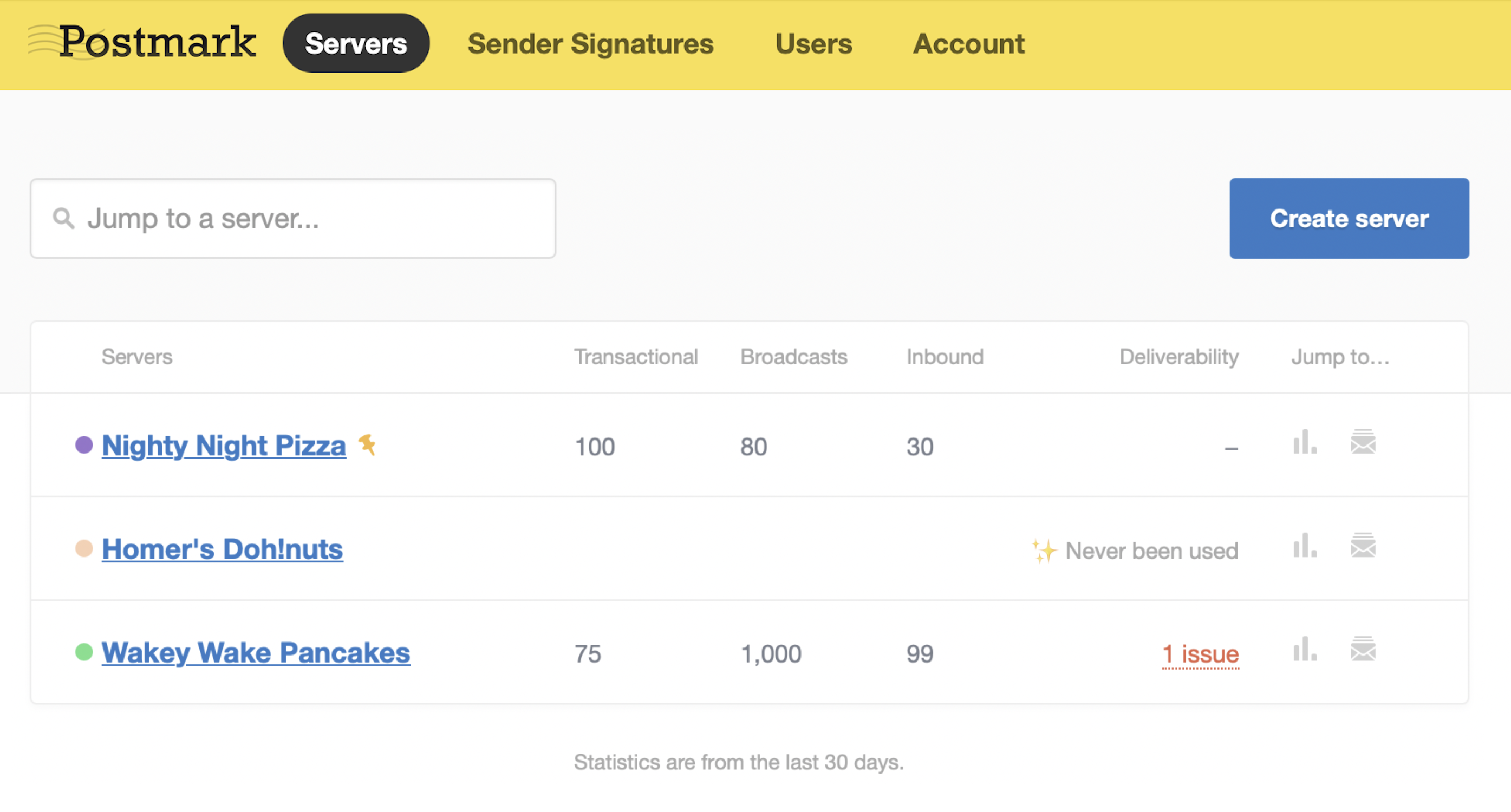
With Postmark, you can also organize your email across multiple Servers—by environment, domain, client, or however makes sense for your team. Each Server has its own API credentials, activity logs, and settings. It's the kind of granularity that makes a difference when you're managing email across multiple projects or clients.
At Postmark, great support isn't reserved for enterprise plans. You can reach a real person via email, live chat (during business hours), or phone—no matter which plan you're on. Our average time to first response is under two hours.
Resend's support is ticket-based, with Slack access limited to Scale plans and above. Phone support isn't available.
Customer feedback gathered over the past 60 days.
If you're having delivery problems, we won't suggest you upgrade or buy a dedicated IP. We'll dive in and help you get to the bottom of things. We also have comprehensive developer documentation and a support center packed full of resources for when you'd rather figure things out yourself.
Take a moment to meet our customer success team.
Save time getting started with our thoroughly documented, pre-built, and exhaustively tested transactional email templates. Resend offers a template editor and React Email integration for building your own, but doesn't include ready-to-use transactional templates.
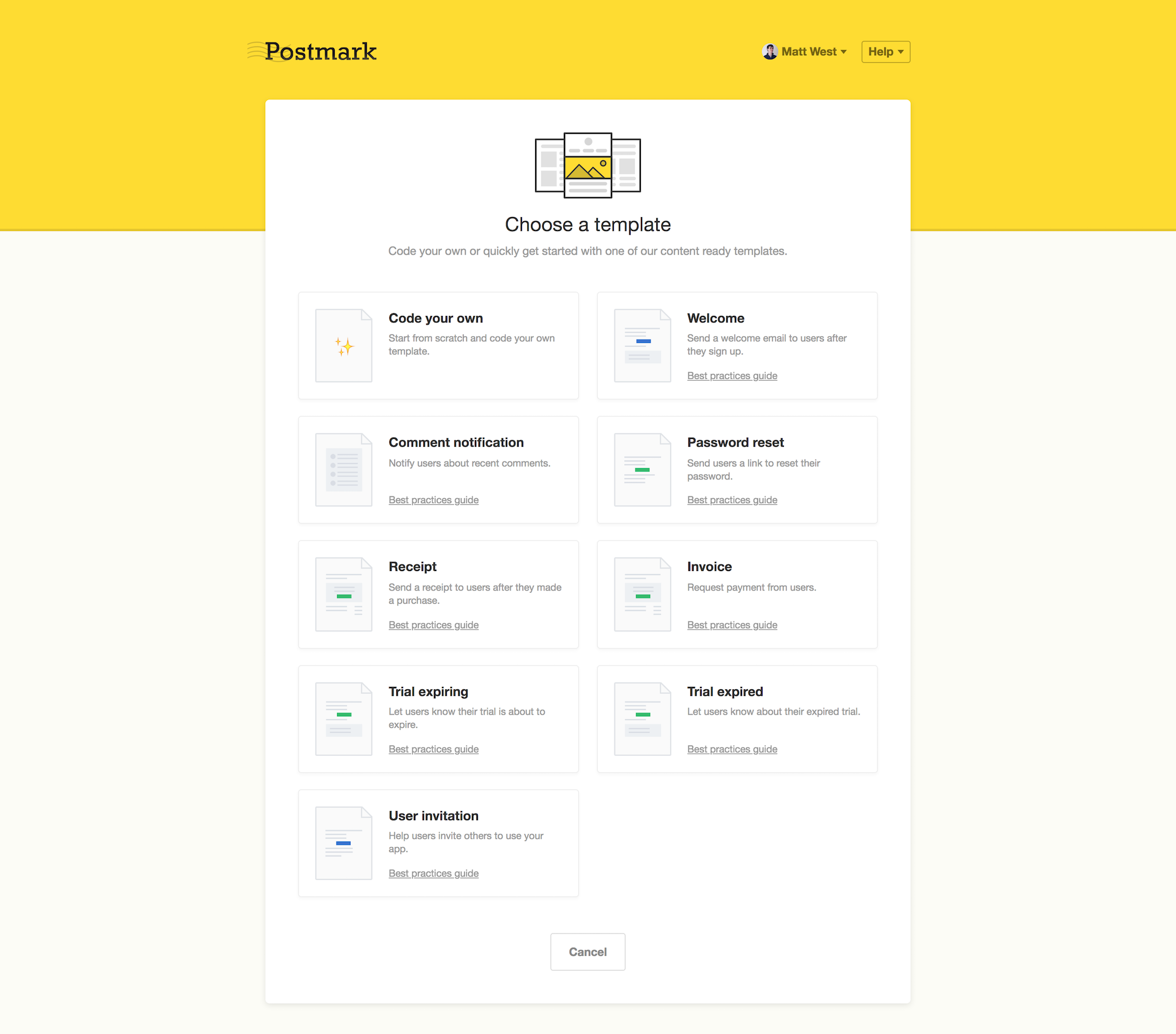
Postmark offers a full set of pre-built and exhaustively tested email templates to help you get started. For each, we've also written extensive guides about best practices for configuration, usability, engagement, copywriting, and more.
Whether you need more templates or want to custom-build your own set, we've built and open-sourced MailMason, a complete toolset to streamline building and updating a set of consistent transactional emails.

dunno why but I'm using Resend and the spin up time to actually send an email is diabolical. Sometimes users are waiting 1 min + for a confirmation email. I dunno if it's just free tier things or because I'm based in Canada but I'm not the biggest fan.
Avoid for Production - Zero warning, permanent bans for technical testing.
I spent weeks integrating Resend only to have my account permanently suspended after a single deliverability audit. No warning, no 'sandbox' mode notification, just a total block on a legitimate e-commerce domain. Their 'support' is non-existent when you actually need a human to review a technical edge case. Don't build your business on a foundation that can disappear without a conversation. Extremely disappointing for a supposedly developer-first platform.
I've tried them all ; i'm still am to some extent because i was too lazy to migrate everything. This being said, postmark is my absolutely top choice for features AND deliverability. Resend is only good at UI (and that's a shame, because i really liked their UI) but damn, it is so slow and has so many bugs that i could not use it anymore...
